Home ប្លុក ការផ្លាស់ប្តូរនៃវិស័យអប់រំខ្ពង់ខ្ពស់ How a Unified Student Record Helps Universities Build a 360-Degree View of Every Learner
ការផ្លាស់ប្តូរនៃវិស័យអប់រំខ្ពង់ខ្ពស់
How a Unified Student Record Helps Universities Build a 360-Degree View of Every Learner
How a Unified Student Record Helps Universities Build a 360-Degree View of Every Learner
Content
Content
An advisor sits down with a student and needs the full picture on one screen, not five logins. A unified student record is a single, consistent profile that brings together a learner’s academic, engagement, financial, advising and skills information, so staff and students see one coherent picture instead of fragments.
What Is a Unified Student Record?
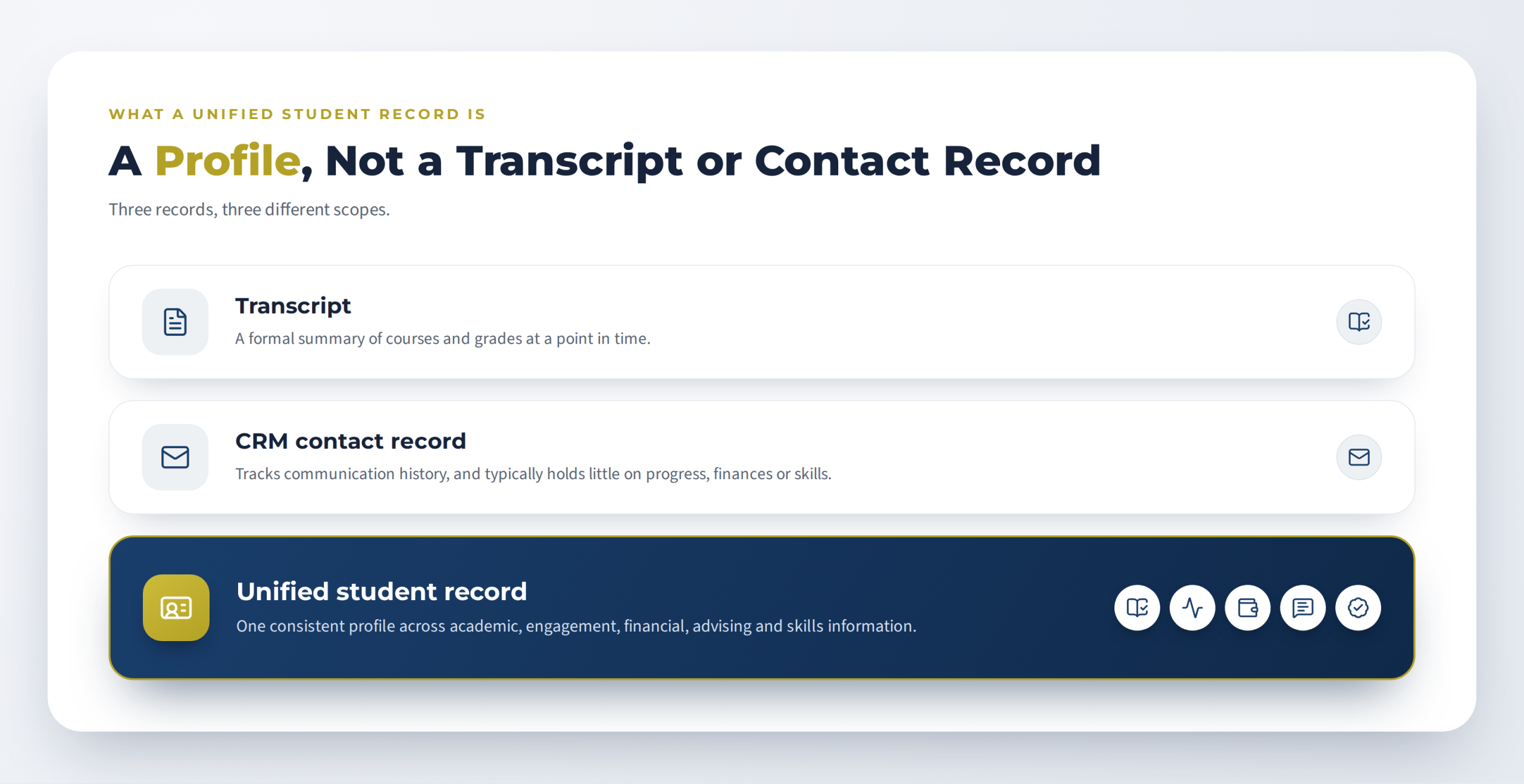
A unified student record is not a transcript and not a contact record. A transcript is a formal summary of courses and grades at a point in time. A CRM contact record tracks communication history and typically holds little about progress, finances or skills. The unified record, also called a single student profile or student 360, lets staff see those areas side by side. It exists to serve one learner and support decisions about them, not to report across the whole institution. For why systems stay siloed, see how AI integration connects siloed university systems.
A comprehensive learner record is related but narrower: 1EdTech’s Comprehensive Learner Record Standard describes portable, verifiable records of achievements such as courses, competencies and skills, while a unified student record can also hold operational information a portable credential is not designed to carry.
What Information Belongs in a 360-Degree View?
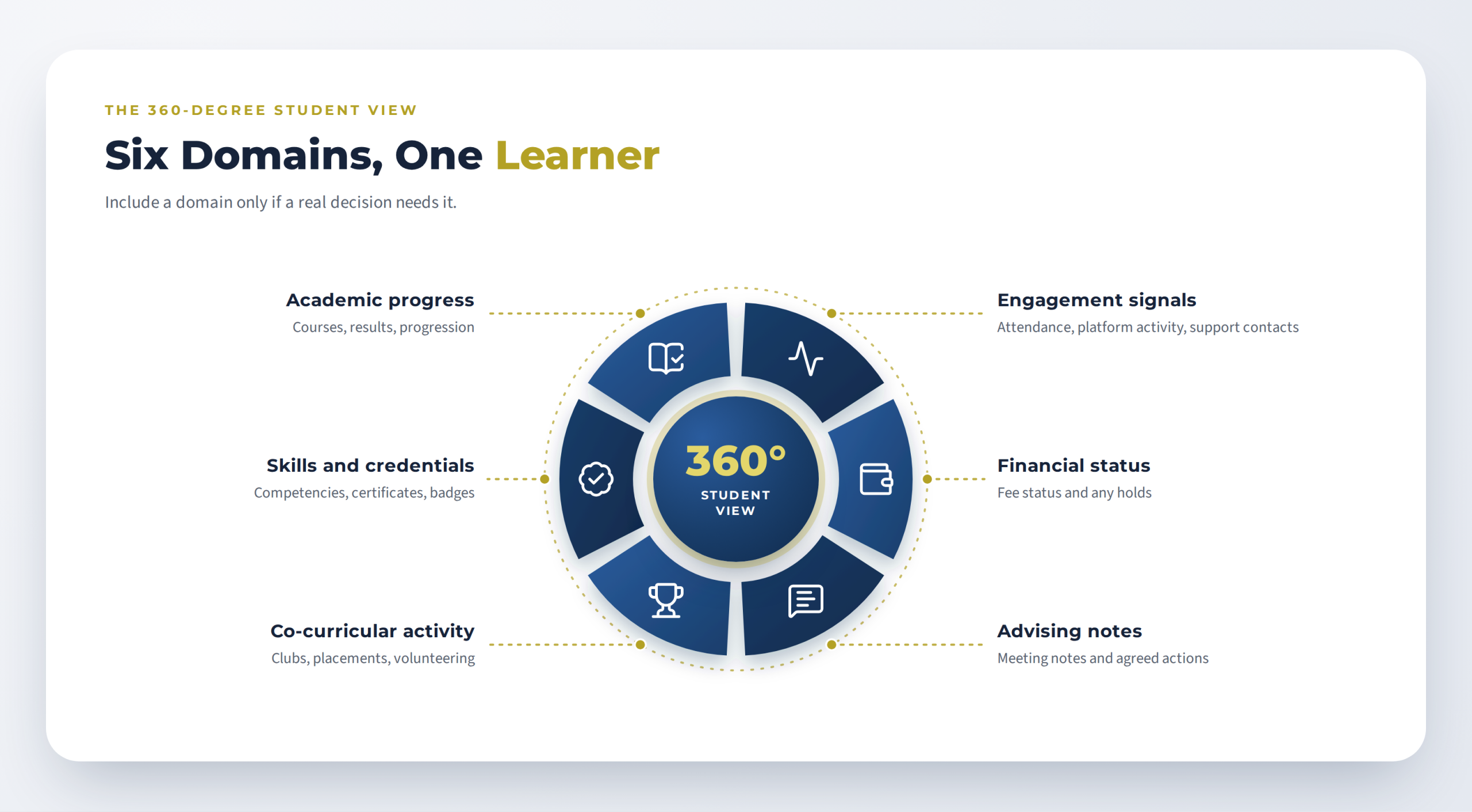
A 360-degree student view brings relevant information from across university systems into one profile, giving each authorized user what a specific decision needs, not everything about a learner.
| Domain | Typical contents | Main usersy |
|---|---|---|
| Academic progress | Enrolled courses, results, progression status | Advisors, faculty, registrar |
| Engagement signals | Attendance, learning-platform activity, support contacts | Advisors, faculty |
| Financial status | Fee status and relevant administrative holds | Registrar, student services |
| Advising notes | Meeting notes and agreed actions | Advisors |
| Co-curricular activity | Clubs, placements, volunteering | Advisors, careers staff |
| Skills and credentials | Competencies, certificates, badges | Students, advisors, careers staff |
Start with the information behind a specific decision rather than all six domains at once. Limit financial details and advising notes to authorized roles, and read engagement signals in context, not as definitive evidence of a student’s circumstances. A student data platform can supply these domains; the record is what authorized staff and students use.
Who Uses It, and for Which Decisions?
Different users make different decisions from the same record:- Advisors: whom to contact early and what to raise
- Registrar: confirming status without cross-checking systems
- Faculty: support flags for their own courses, within role limits
- Students: seeing their own progress, agreed actions and credentials
- Institutional research: cohort patterns, ideally aggregated or de-identified
Before: an advisor starts the meeting with logins and says “let me check” at each step. Enrollment status, recent activity, outstanding holds, and earlier notes come from different places, and something may be missed. After: the same meeting opens on one profile showing progress, recent engagement, any holds and the actions agreed at the previous meeting, so the conversation starts with the student’s situation instead of the advisor’s search.
What Does the Student See and Control?
Where the institution offers it, a student-facing view shows learners their own progress, credentials and agreed actions in one place. Plain-language notes on what the record holds help students trust it. Students also need clear controls:- Consent: optional uses, such as sharing skills data with employers, need a clearly explained purpose, a legal basis that depends on the jurisdiction, and clear student choices
- Correction: give students a clear way to report inaccurate information and have requests reviewed. Rights vary by jurisdiction; FERPA in the United States and Singapore’s PDPA, for example, set different requirements
- Sensitive fields: tell students which roles can see advising notes and financial status
What Rules and Risks Come With It?
A unified record concentrates more personal information in one place than any single system holds, so the rules matter more, not less. Five areas need decisions:- Consent: which uses need it, how it is recorded and how it is withdrawn
- Minimization: collecting and showing only the fields a decision needs
- Access roles: who sees which domain, reviewed regularly
- Retention: how long each domain is kept and what happens afterwards; Singapore’s PDPA, for example, includes retention-limitation obligations
- Regional law: the framework depends on where the institution and its students are, for example FERPA in the United States, the GDPR in the European Union and the PDPA in Singapore, so do not assume one applies everywhere
Frequently Asked Questions
What is a unified student record?
A unified student record is a single, consistent profile that brings together a learner’s academic, engagement, financial, advising and skills information so staff and students see one coherent picture instead of fragments held in separate systems.
Is a unified student record the same as a student information system?
No. A student information system is one source, typically holding enrollment and academic data; the unified record also draws on engagement, financial, advising and skills information.
Does a unified record mean everyone sees everything?
No. Role-based access controls which domains each user sees, and sensitive fields such as advising notes and financial status can be limited to the roles that need them.
Can students access their own record?
Giving students a view of their own record is good practice but not a universal requirement. The rules depend on the jurisdiction and the institution, so check the applicable education-record and data-protection requirements.
How is this different from a data warehouse?
A data warehouse serves analytics and reporting across many records, while a unified record serves day-to-day service and decisions about one learner. The two can coexist.
Further reading: A unified student record is one part of building an AI-First Adaptive University. CLaaS2SaaS Intelligence OS, the publisher’s own offering, describes a shared intelligence foundation for that vision, so read it alongside other options.
Share


Want to check if this career is for you?